
Good PC Gaming peripherals can mean many things. A good controller, headset, keyboard, or mouse will not magically make you better at games. But bad gear will absolutely make you worse. Missed inputs, hand fatigue, garbage audio, sketchy sensors; all of that adds friction where you do not need it. The goal here is simple: reliable gear that stays out of your way.
Below are recommendations broken down by category, with a quick explanation of why each one earns its spot. Some are budget-friendly, some are premium, all of them are solid and worth exploring if you want to upgrade your peripherals, or if you’re looking to get into PC gaming.
Controllers
The PlayStation 5 DualSense Controller is one of the most comfortable controllers you can use on PC. The shape is excellent, the sticks are smooth, and the adaptive triggers and haptics are increasingly supported in modern games. Even when those features are not used, it still feels great in the hands. It is a safe pick for action games, platformers, and third-person titles. Also, you likely may already have one of these, and since it works just as well on a PS5 as it does on a PC, it’s an easy starting point.
Microsoft offers the Xbox Elite Series 2 as the nuclear option. Expensive, yes, but also extremely customizable and built for people who care about fine control. Swappable sticks, adjustable tension, rear paddles, and excellent wireless support on PC. If you play competitive games with a controller, this is as good as it gets. The price hurts, but the quality is reflected easily.
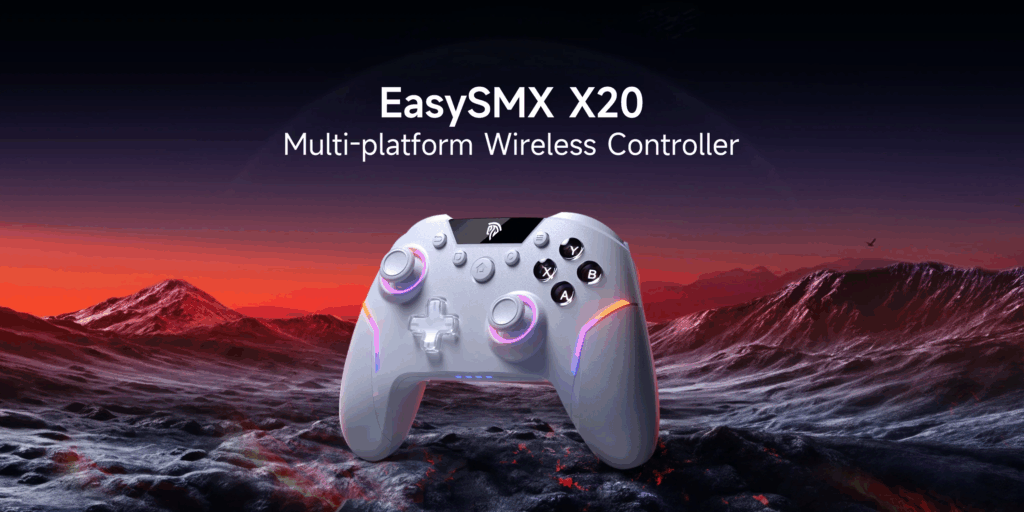
In comparison, the EasySMX X20 is proof that budget does not have to mean bad. Hall effect sticks, mechanical buttons, wireless support, and solid build quality at a much lower price than first-party controllers. In fact, you can get two of these controllers for around the same price of one DualSense controller. It is not fancy, but it is accurate, responsive, and reliable. For PC players who want value, this is an easy recommendation.
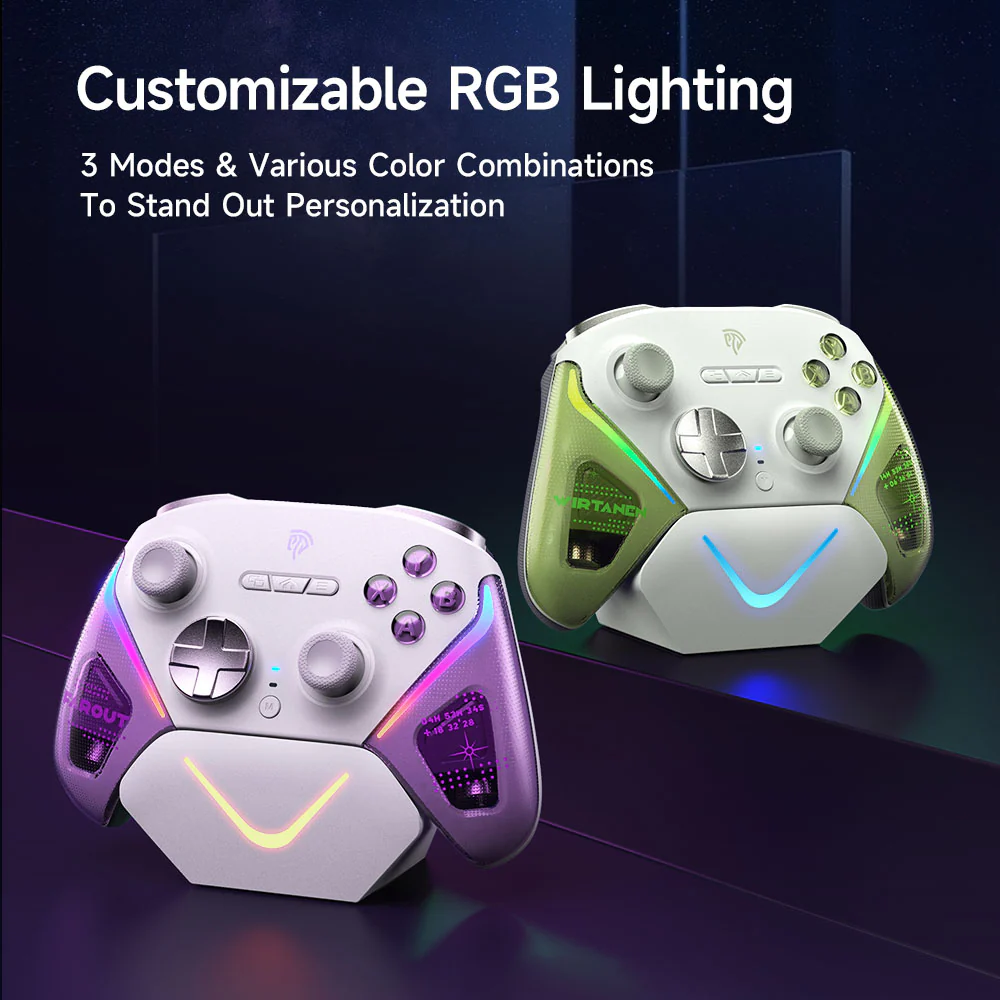
Similarly, the EasySMX D10 is another strong budget option. Comfortable grip, good weight, responsive inputs, and dependable wireless performance. The performance on this is slightly better than the X20, and while it loses two back buttons; you do gain an amazing wireless charger. The D10 does not pretend to be luxury gear, but it performs better than many official controllers that cost more. If you want an inexpensive workhorse, this is it.
Audio
In terms of headphones, the Razer Barracuda Pro Wireless are a premium wireless headset that actually justifies its price. Active noise cancelling, clean sound, low-latency wireless, and strong battery life. It works just as well for gaming as it does for music or travel. If you want one headset for everything and hate dealing with cables, this is a great choice.
HyperX Cloud II remains a classic for a reason. Comfortable for long sessions, durable, good mic quality, and clean sound without being overly bass-heavy. It is wired, but that also means zero battery anxiety and zero wireless problems. For the price, it is still one of the safest buys in PC gaming audio.
In terms of the budget pick that does not embarrass itself, Razer BlackShark V2 X has you covered. Lightweight, comfortable, solid mic, decent sound. You do not get fancy features, but you get reliability. If you just want something that works and does not sound terrible in voice chat, this does the job.
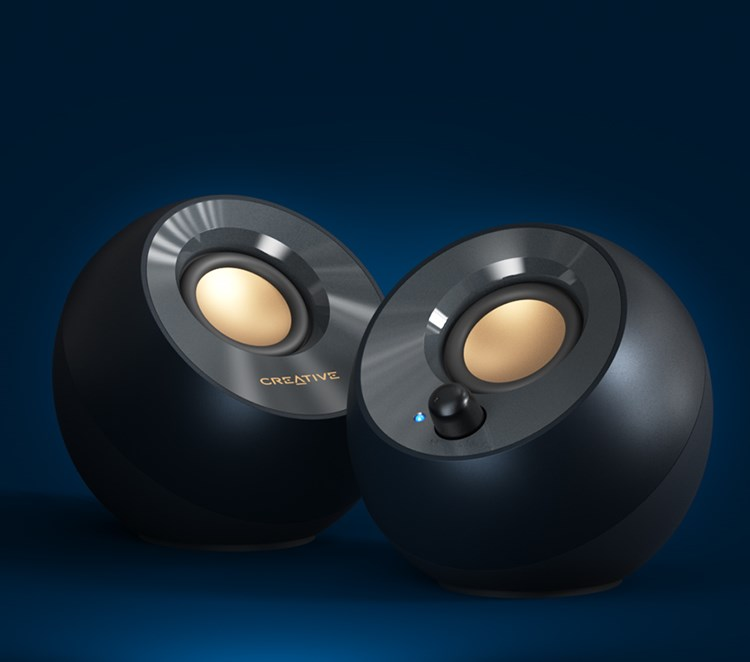
If you prefer speakers to headphones, Creative Pebble 2.0 punch way above their size and price. USB powered, clean mids, respectable volume for a desk setup. No, they will not shake your room, but they sound far better than monitor speakers or cheap no name sets. Perfect for casual gaming, videos, and music when you do not want to wear headphones!
Webcams
If you stream, record content, or care about looking professional on video calls, the Logitech BRIO Ultra HD Pro is one of the best webcams available. Sharp 4K image, good low light performance, reliable autofocus. It is expensive, but the quality difference is obvious.
Anker PowerConf C200 is the smart budget option. 2K resolution, wide field of view, built-in privacy cover, and surprisingly good image quality for the price. If the BRIO is overkill, this is the camera most people should buy.
Keyboards
Cheap, quiet, water-resistant, compact. The SteelSeries Apex 3 TKL RGB is not mechanical, but it feels good enough for gaming and typing. For budget setups or shared spaces where loud keyboards are annoying, this is a practical choice.
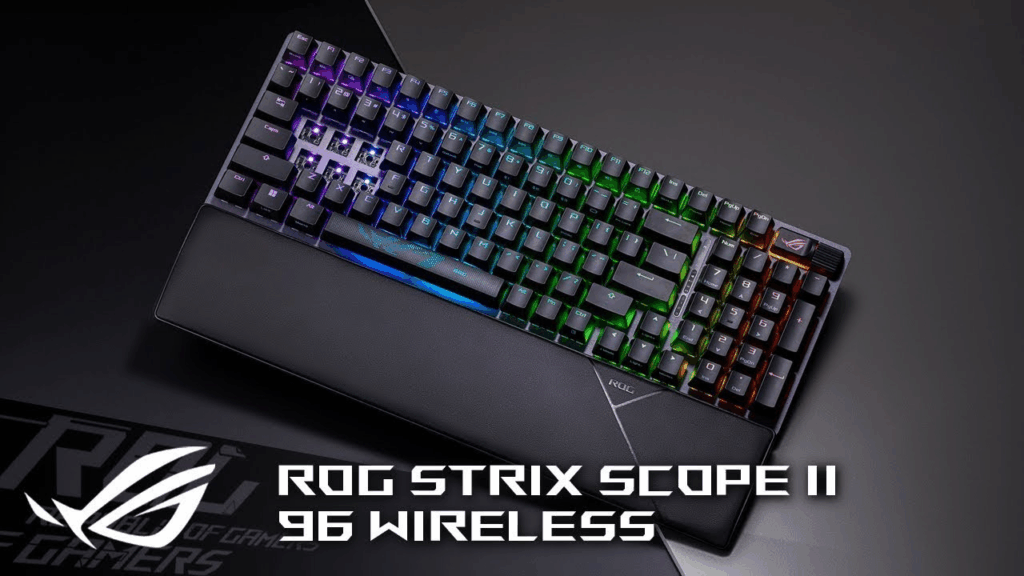
ASUS ROG Strix Scope II 96 is a great middle-ground keyboard. Mechanical switches, wireless support, full numpad in a compact layout, and excellent build quality. It feels premium without being ridiculous. If you want one keyboard that does everything well, this is a strong pick.
ASUS ROG Azoth Extreme is the keyboard for people who want the best and do not care about the price. Heavy, beautifully built, customizable switches, OLED display, incredible typing feel. Completely unnecessary, absolutely excellent.
Mice
Top-tier wireless performance, absurdly accurate sensor, tons of buttons, and comfortable shape. The Razer Basilisk V3 Pro 35K is heavier than ultra-light esports mice, but far more versatile. Great for shooters, MMOs, and everyday use.
The Corsair Katar Pro XT is simple. No gimmicks, just good tracking and low latency. Perfect if you want a competitive mouse without paying premium prices.
The SteelSeries Rival 5 is a solid middle-ground mouse with extra buttons for utility. Comfortable shape, reliable sensor, and comes with good software.
Conclusion
You do not need to buy the most expensive PC gaming peripherals to have a good setup. You also do need to avoid junk. The peripherals listed here are all safe purchases that will last, perform well, and not sabotage your games with bad inputs or uncomfortable design. Good gear should disappear in your hands. When it does, that is how you know you picked right.
For all things Video Games, keep it tuned to That Hashtag Show.





 That Hashtag Show
